WP Discord Bot gives you a powerful command center for all your WordPress sites, right inside Discord. Backups, migrations, staging environments, security tools — everything you need, accessible with simple slash commands.
You're constantly switching between hosting dashboards, FTP clients, SSH terminals, and backup plugins. Every site has a different setup. When something breaks at 2 AM, you're scrambling to remember credentials and procedures.
WP Discord Bot brings all your WordPress management into Discord — the tool you already have open. With interactive slash commands, you can backup, migrate, and manage any site in seconds. No more context switching.
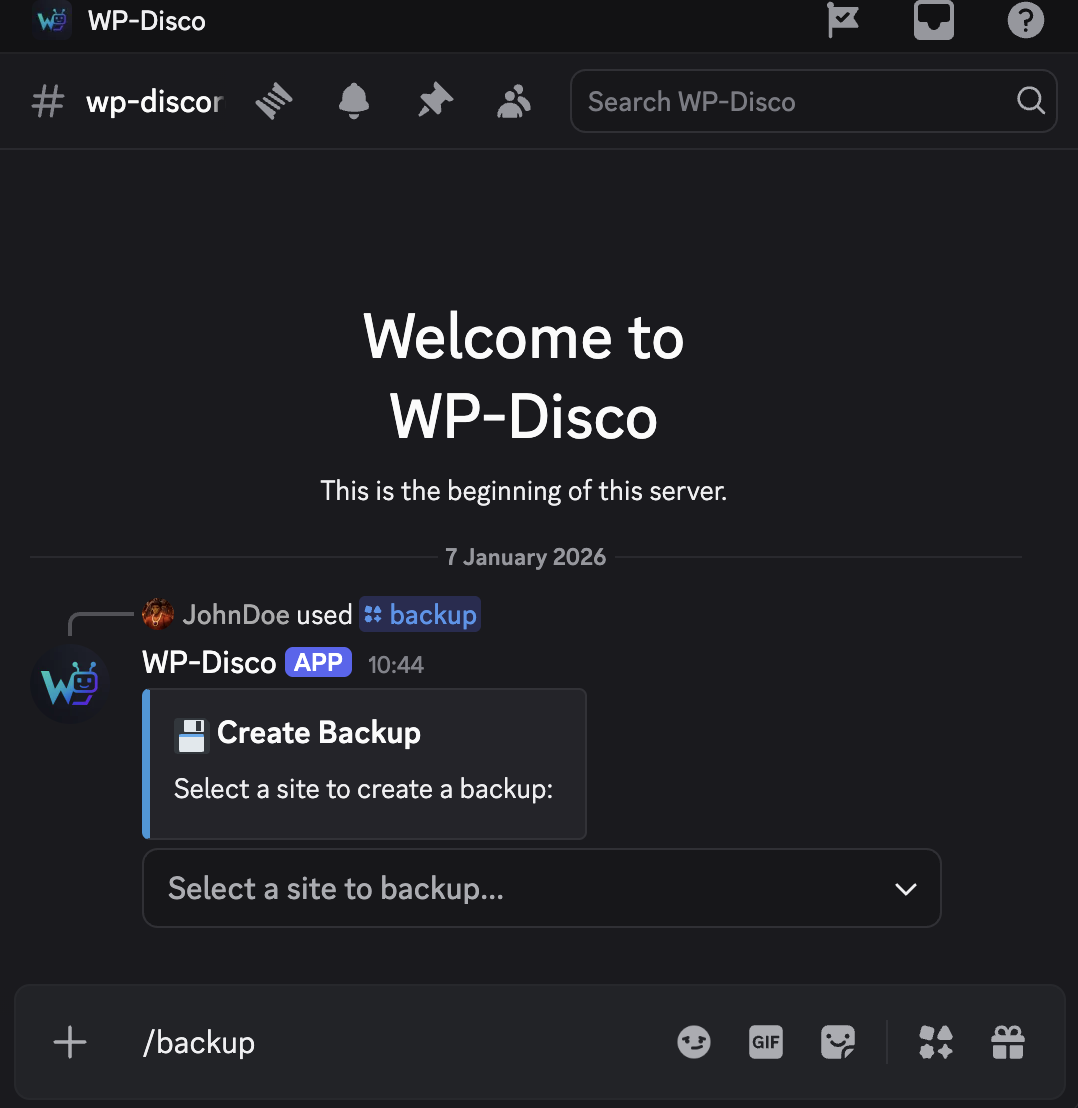
Full database and file backups with one command. Automatically excludes cache folders to minimize size. Compressed, encrypted, and stored securely on your dedicated server.
Move sites between servers automatically. Database export, file transfer, URL search-replace — all handled.
Spin up isolated staging environments in seconds. Test theme updates and plugins safely.
Broke something? Restore any backup with a single click. Back to working state in minutes.
PHP snippets via Discord with syntax validation
Site lock, core reinstall, user management
Rsync backups to external storage servers
Real-time CPU, memory, disk health
Update WordPress core, themes, and plugins
Google Drive / Dropbox integration
Create, edit, and manage WordPress users
Replace infected or damaged core files safely
No need to memorize syntax. Every command uses Discord's native UI with dropdowns and buttons.
/addsite
Connect a new WordPress site via SSH
/listsites
View all connected sites with status
/info
Get detailed info: plugins, theme, PHP version
/editsite
Update credentials or paths
/backup
Create full site backup (DB + files)
/rollback
Restore site from previous backup
/list
Browse all backups with sizes and dates
/transfer
Send backups to external storage
/migrate
Clone site from source to target server
/create-staging
Launch Docker staging environment
/delete-staging
Remove staging when done
/docker-cleanup
Clean orphaned containers
/lock
Password-protect site frontend
/wprestore
Reinstall WordPress core files
/mu-codesnippets
Manage custom PHP snippets
/serverinfo
Check server resources and health
Plus /help with interactive category browser, /get for users/plugins/themes, /edit for user management, and more.
Visual demonstrations of key commands to help you understand the workflow.
All plans include unlimited sites and every feature. Pick based on backup storage needs and support level.
You get a dedicated server running your own WP Discord Bot. Fully isolated, hardened, and maintained by us.
Add the bot to your server. Only you and your team can use it — it's exclusively yours.
Use /addsite to connect WordPress sites via SSH. Credentials are encrypted and never shared.
Your bot runs on its own server. No shared resources, no noisy neighbors, no data mixing with other customers. Complete isolation.
We handle server updates, security patches, bot updates, and monitoring. You focus on your clients, we focus on keeping everything running.
Built specifically for Discord with proper slash commands, interactive menus, and embed responses. Not a web app squeezed into a bot.
Designed for people managing multiple client sites. Quick switching between sites, bulk operations, and clear logging for accountability.
Every plan includes unlimited WordPress sites and all features. The main difference is backup storage capacity.
For managing a handful of sites
For agencies with growing client bases
For large teams and high-volume needs
Let us handle the complete Discord server setup, bot installation, and initial configuration. Perfect if you're new to Discord or want to save time.
All plans come with a 7-day free trial. No credit card required. Cancel anytime.
Your WP Discord Bot runs on its own server, separate from all other customers. This means your credentials, backups, and site data are completely isolated. It also means consistent performance — no slowdowns because someone else is running a big migration.
Security is paramount. All credentials are encrypted at rest using AES-256. Servers are hardened with fail2ban, UFW firewalls, and automatic security updates. SSH access to your instance requires key authentication. We never access your site credentials — they stay on your dedicated server.
Yes, WP-CLI should be available on servers you connect. Most modern WordPress hosts (VPS, dedicated servers) have it pre-installed. If not, we can help you set it up during onboarding.
Yes. Anyone in your Discord server with the appropriate role can use the commands. You control access through Discord's native role system. There are no per-user fees.
You can upgrade your plan anytime, or we can add extra storage to your current plan. Contact support and we'll sort it out same-day.
You have 30 days to download your backups after cancellation. We can also help you transfer them to your own storage before deletion.
Start your 7-day free trial. No credit card, no commitment.
Your dedicated instance will be ready within 24 hours.